

GAM/Admob (Unity Plugin)
1.Overview
The HyBid Google Ads Mediation Unity Plugin adds HyBid as a demand source in your AdMob and Google Ad Manager (GAM) mediation setup directly from Unity.
2.Prerequisites
Before you begin, ensure your AdMob setup is complete and you have the following:
- AdMob:
- App ID
- Ad Unit IDs
- Verve:
- HyBid Zone IDs
3.Software Requirements
| Publisher Requirement | Details |
|---|---|
| Google Mobile Ads Unity Plugin | 11.0.0 or higher |
| External Dependency Manager (EDM4U) | 1.2.179 or higher |
| Android API level | Minimum 21 |
| iOS deployment target | 12.0 or higher |
| CocoaPods | Required for iOS builds |
4. Installation
Follow the steps below to install and configure the plugin:
Step 1: Install required components
- Install the Google Mobile Ads Unity Plugin .
- Install the External Dependency Manager for Unity (EDM4U).
Step 2: Install HyBid plugin
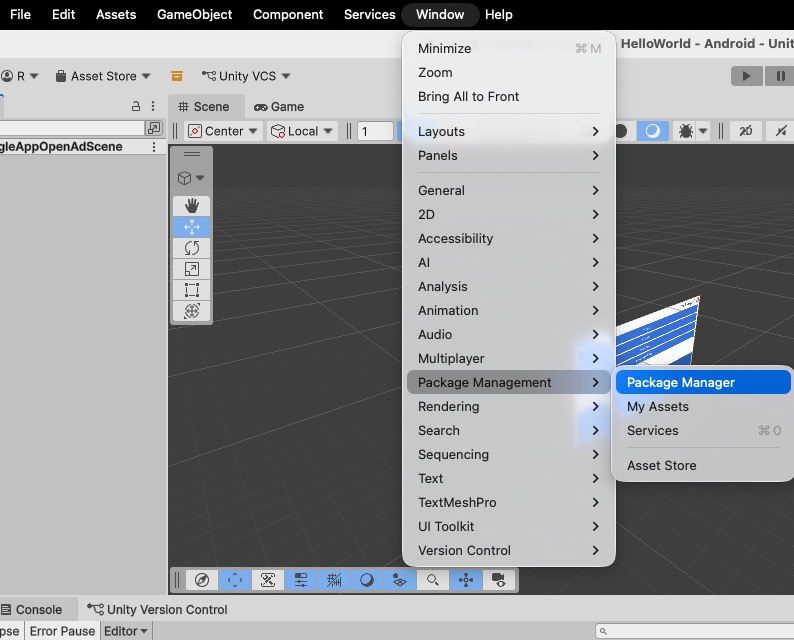
- In Unity, click Window → Package Management → Package Manager.
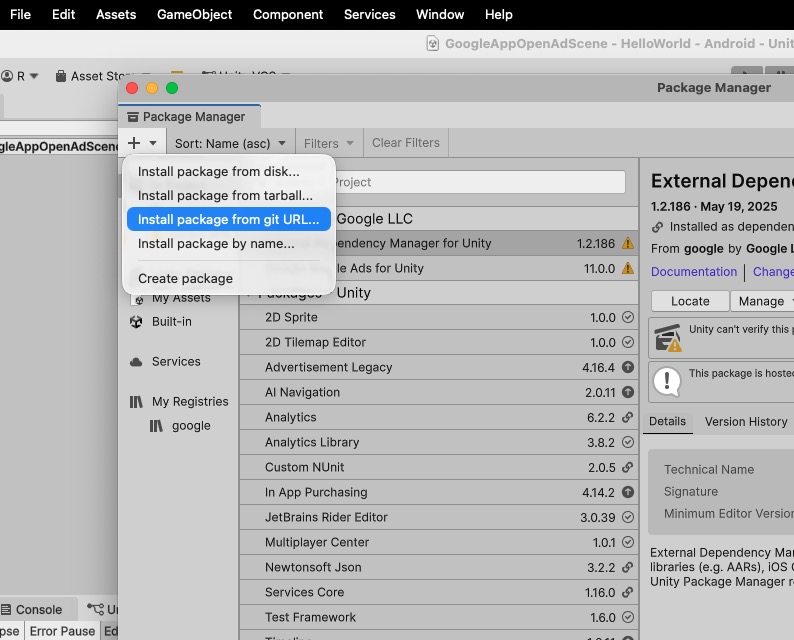
- In Package Manager, click + → Install package from git URL....
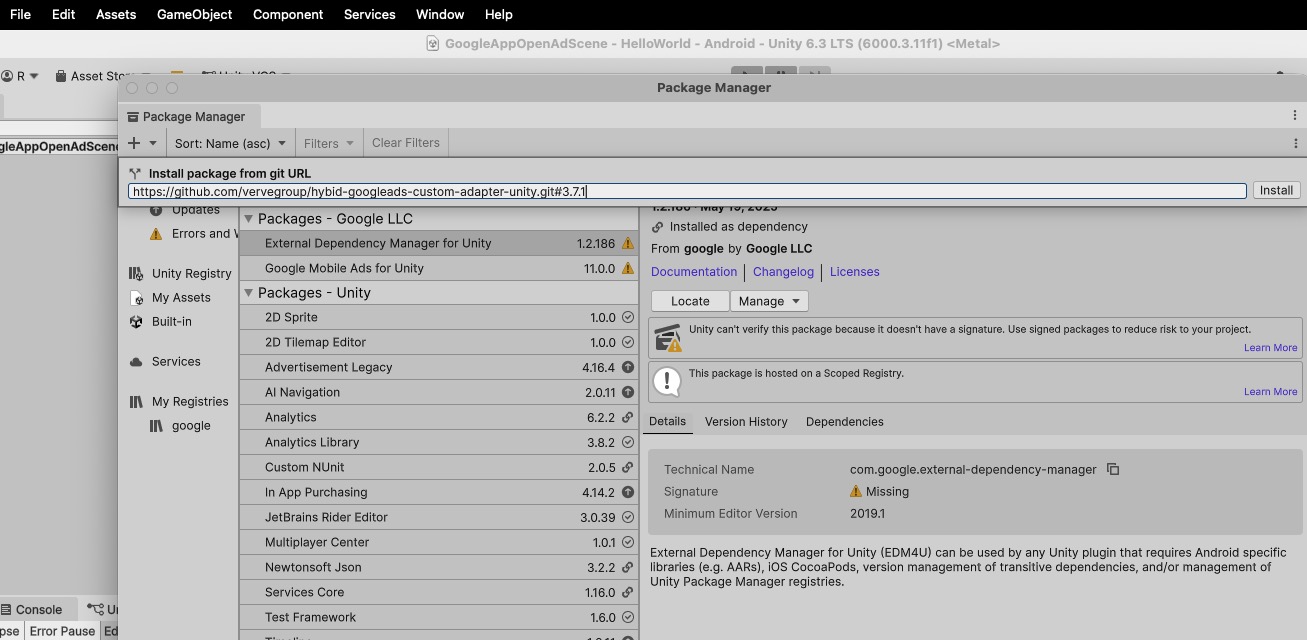
- Enter the following git URL, then click Install
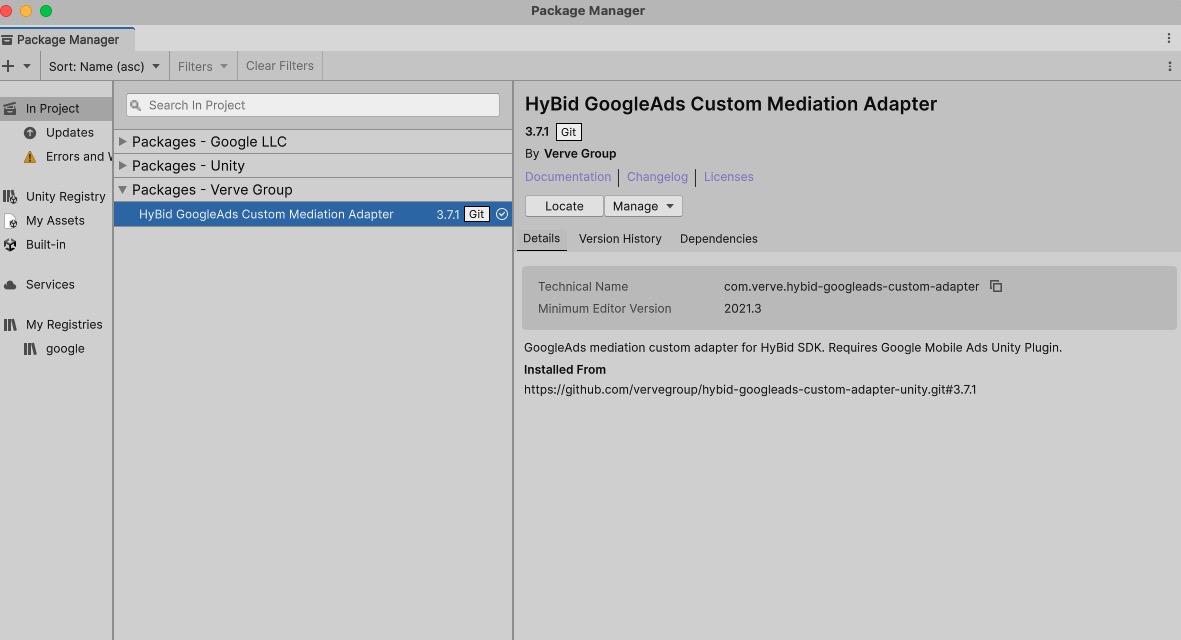
- The HyBid GoogleAds Custom Mediation Adapter is installed successfully.
Step 3: Resolve dependencies
Android
- Switch active platform to Android: File → Build Profiles → Android.
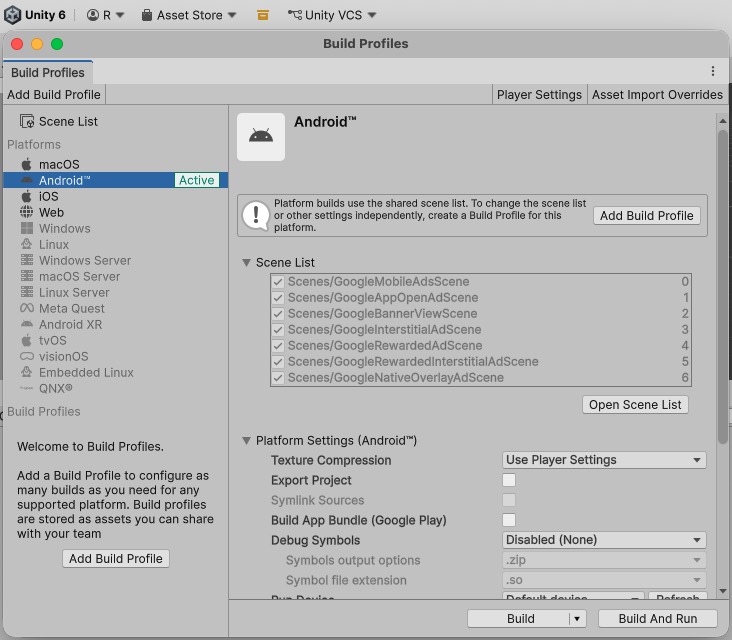
- Resolve dependencies: Assets → External Dependency Manager → Android Resolver → Force Resolve.
iOS
For iOS, EDM4U handles it automatically at build time
- Switch the active platform to iOS: File → Build Profiles → iOS → Switch Platform.
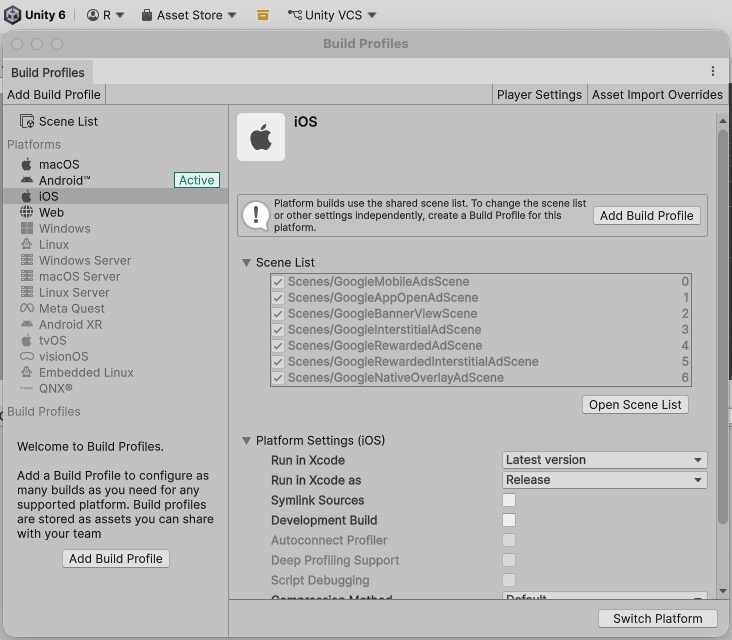
- Unity exports an Xcode project and CocoaPods installs all required HyBid frameworks automatically.
Step 4: Build and run
5. AdMob mediation setup
For platform-specific setup instructions, refer to:
- Android: GAD / Admob (Android)
- iOS: GAD / AdMob (iOS)
6. GoogleAds manager mediation setup
Updated 6 months ago
Did this page help you?